Query 5.4 Billion Subdomains with One API Call
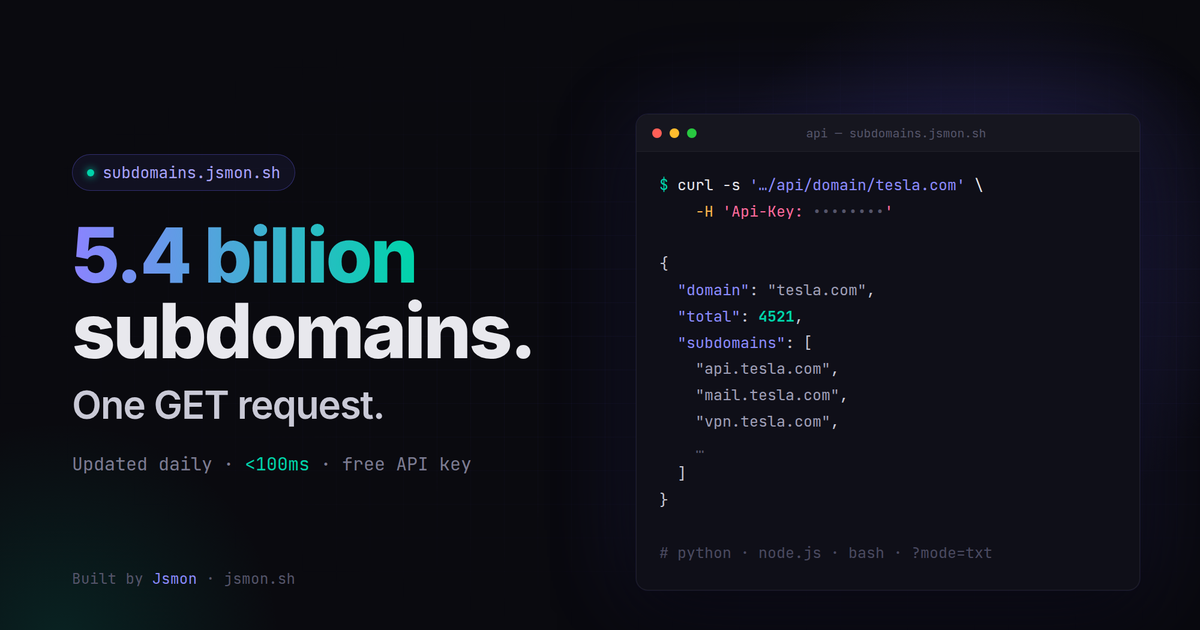
Subdomains by Jsmon puts 5.4 billion subdomains behind a single GET request. Here's what's in the database, how the API works, and how to build a client in Bash, Python or Node.js in a few lines
Every recon workflow starts with the same question: what does this organisation actually have on the internet? The answer usually lives in subdomains — the forgotten staging server, the vendor portal nobody decommissioned, the DNS record still pointing at a deleted cloud bucket.
We built Subdomains by Jsmon to answer that question in one request.
The database
The database holds 5.4 billion subdomains and grows every day. When we launched in September it held 3.5 billion; it is now 54% larger.
Data comes from certificate transparency logs, DNS records, web crawling and other public sources. Most new subdomains appear within 24–48 hours of showing up anywhere public, and the average lookup returns in under 100ms.
It's passive: we never touch the target. You get back what has already been observed, which makes it safe to run against any domain, including ones you can't scan.
The API
There is one endpoint:
GET https://subdomains.jsmon.sh/api/domain/{domain}
Api-Key: YOUR_API_KEY
It returns JSON:
{
  "domain": "tesla.com",
  "total": 4521,
  "subdomains": ["api.tesla.com", "mail.tesla.com", "vpn.tesla.com"]
}
On Pro and Max, add ?mode=txt to get every subdomain as plain text, one per line, in a single response — no pagination, and it counts as one query.
Get a free API key — 3 queries a day, no card. The full reference lives in llms-full.txt and the OpenAPI spec.
Bash client
Store your key once:
export JSMON_API_KEY="your-key-here"Then pipe straight into the rest of your toolchain:
curl -s "https://subdomains.jsmon.sh/api/domain/example.com?mode=txt" \
  -H "Api-Key: $JSMON_API_KEY" | httpx -silent
To run a list of targets:
while read -r domain; do
  curl -s "https://subdomains.jsmon.sh/api/domain/$domain?mode=txt" \
    -H "Api-Key: $JSMON_API_KEY" > "subs_$domain.txt"
  echo "$domain: $(wc -l < "subs_$domain.txt")"
done < domains.txt
Python client
import os
import sys
import requests

API = "https://subdomains.jsmon.sh/api/domain/"
KEY = os.environ["JSMON_API_KEY"]

def subdomains(domain: str, txt: bool = False) -> list[str]:
    params = {"mode": "txt"} if txt else {}
    r = requests.get(API + domain, headers={"Api-Key": KEY},
                     params=params, timeout=60)
    if r.status_code == 401:
        sys.exit("Invalid API key")
    if r.status_code == 429:
        sys.exit("Query quota reached")
    r.raise_for_status()
    return r.text.splitlines() if txt else r.json()["subdomains"]

if __name__ == "__main__":
    for sub in subdomains(sys.argv[1]):
        print(sub)
Run it with python subs.py example.com, and pass ?mode=txt on a paid plan for the full list.
Node.js client
Node 18+ ships with fetch, so there's nothing to install:
const domain = process.argv[2];

const res = await fetch(`https://subdomains.jsmon.sh/api/domain/${domain}`, {
  headers: { "Api-Key": process.env.JSMON_API_KEY },
});
if (!res.ok) throw new Error(`HTTP ${res.status}`);

const { total, subdomains } = await res.json();
console.log(`${total} subdomains found`);
subdomains.forEach((s) => console.log(s));
Save it as subs.mjs and run node subs.mjs example.com.
Pricing
| Plan | Price | Queries | Results per query |
|---|---|---|---|
| Free | $0 | 3 / day | 100 |
| Pro | $20 / month | 5,000 / month | 10,000 + mode=txt |
| Max | $100 / month | 50,000 / month | 10,000 + mode=txt |
| Enterprise | Custom | Unlimited | Full database exports |
AI agents can also pay $0.50 per lookup with no account, through the Machine Payments Protocol at /api/mpp/domain/{domain}.
What to do with it
Hunters use it to find scope that other tools miss. Security teams use it to build an asset inventory they don't have to maintain by hand. Platforms use the enterprise feed to show customers their whole footprint before a program goes live.
If you want the full picture: application exposure monitoring, leaked secrets, API discovery and takeover detection on top of every subdomain — that's what Jsmon does.