What is MIME Type Bypass? Ways to Exploit, Examples and Impact
Learn how to detect and prevent MIME Type Bypass vulnerabilities. Explore Magic Bytes, header manipulation, and secure file upload best practices.
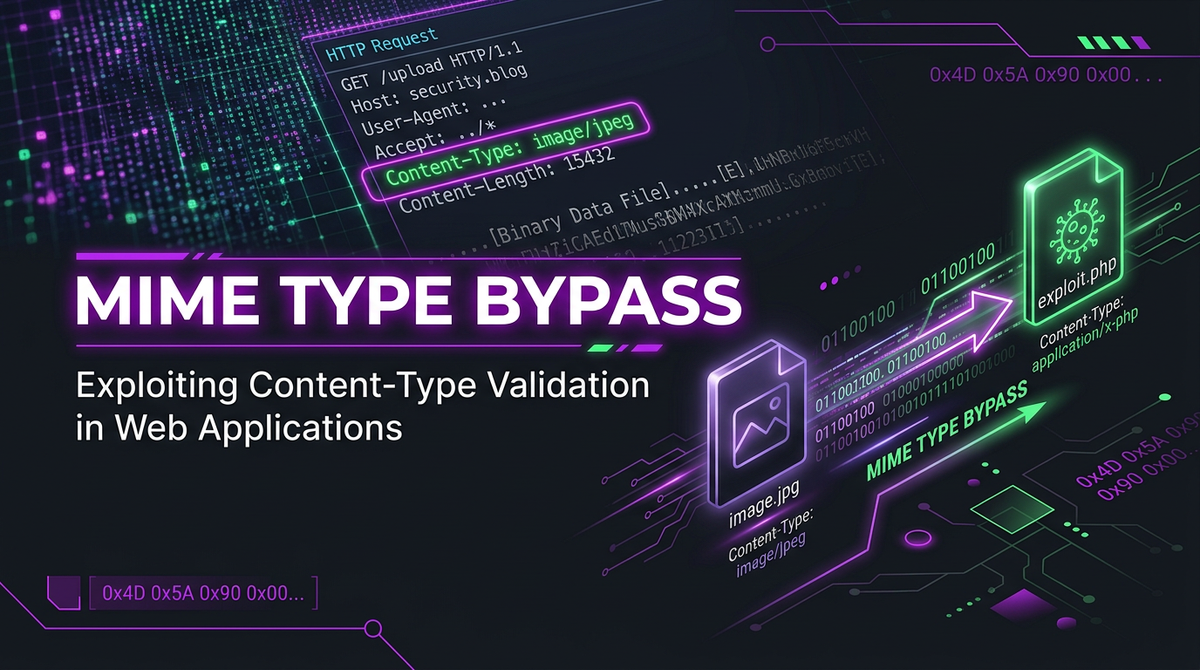
In the world of web security, file upload functionality is one of the most critical and frequently targeted features. Whether it is a profile picture upload, a document management system, or a cloud storage service, developers must ensure that users only upload safe, intended file types. To enforce this, servers often rely on MIME (Multipurpose Internet Mail Extensions) types. However, a common vulnerability known as MIME Type Bypass occurs when an attacker successfully tricks a server into accepting a malicious file by masquerading it as a legitimate one. This can lead to catastrophic consequences, including Remote Code Execution (RCE) and full system compromise.
What is a MIME Type?
MIME, or Multipurpose Internet Mail Extensions, is a standard that indicates the nature and format of a document, file, or assortment of bytes. When a browser or a server handles a file, it uses the MIME type to determine how to process it. For instance, an image is typically identified as image/jpeg or image/png, while a text file is text/plain and a web page is text/html.
In a typical HTTP request, the MIME type is communicated via the Content-Type header. When you upload a file through a web form, your browser automatically generates a multipart request that includes this header for each part of the form data. For example:
POST /upload HTTP/1.1
Host: example.com
Content-Type: multipart/form-data; boundary=---------------------------12345

---------------------------12345
Content-Disposition: form-data; name="file"; filename="vacation.jpg"
Content-Type: image/jpeg

[Binary Data of the Image]
---------------------------12345--
In this example, the server sees Content-Type: image/jpeg and assumes the uploaded file is a standard JPEG image. The vulnerability arises when the server trusts this header blindly without verifying the actual content of the file.
Why Developers Implement MIME Checks
Developers implement MIME type checks primarily for security and data integrity. By restricting file types, they aim to prevent:
- Malicious Script Execution: Preventing users from uploading
.php,.jsp, or.exefiles that could be executed on the server. - Cross-Site Scripting (XSS): Preventing the upload of
.htmlor.svgfiles that contain malicious JavaScript intended to execute in other users' browsers. - Storage Efficiency: Ensuring that only relevant files occupy server storage.
However, these checks are often implemented poorly, leading to the MIME Type Bypass vulnerabilities we see today. Security professionals often use tools like Jsmon to monitor their infrastructure and identify misconfigurations that might lead to such exposures.
Common Ways to Exploit MIME Type Bypass
Attackers use several techniques to circumvent MIME type restrictions. Understanding these methods is essential for any technical professional working in web security.
1. Client-Side Header Manipulation
The most basic form of MIME type bypass involves intercepting the HTTP request before it reaches the server. Since the browser generates the Content-Type header based on the file extension, an attacker can simply rename a malicious script (e.g., shell.php) to a legitimate extension (e.g., shell.jpg), select it for upload, and then use a proxy tool like Burp Suite or OWASP ZAP to change the header back to image/jpeg or keep it as is while the filename remains malicious.
If the server only checks the Content-Type header and not the file extension or the file's internal structure, it will accept the file. If the attacker can then access the file via a URL, the server might execute the PHP code.
2. Magic Byte Manipulation (File Signatures)
Many servers use "Magic Bytes" to verify a file's type. Magic bytes are specific byte sequences at the beginning of a file that identify its format. For example:
- JPEG:
FF D8 FF E0orFF D8 FF E1 - PNG:
89 50 4E 47 0D 0A 1A 0A - GIF:
47 49 46 38 39 61(GIF89a) - PDF:
25 50 44 46(%PDF)
An attacker can bypass these checks by prepending the magic bytes of a legitimate file type to a malicious script. For instance, an attacker could create a PHP web shell that begins with the GIF89a signature:
GIF89a;
<?php system($_GET['cmd']); ?>
When the server's backend uses a library like PHP's getimagesize() or the Linux file command to check the file, it may report the file as a valid GIF image, allowing it to bypass the filter.
3. Extension Manipulation and Double Extensions
Sometimes, servers check both the MIME type and the file extension. Attackers can use various tricks to confuse the server's logic:
- Double Extensions:
image.jpg.php. Some poorly configured servers (especially older versions of Apache with specificAddHandlerdirectives) might execute the file as PHP because it contains.phpanywhere in the name. - Null Byte Injection:
shell.php%00.jpg. In older versions of PHP (pre-5.3.4), the null byte (%00) would terminate the string in C-based functions, leading the server to see a.jpgfor the extension check but save the file asshell.phpon the disk. - Case Sensitivity:
shell.PhPorshell.pHP5. If the filter only looks for.phpin lowercase, these might slip through.
4. MIME Sniffing Exploitation
MIME sniffing is a technique used by web browsers (like Chrome and Internet Explorer) to help determine the type of a resource if the Content-Type header is missing or suspected to be incorrect. If a server hosts an uploaded file and serves it with a generic Content-Type: text/plain or application/octet-stream, the browser might "sniff" the content. If it sees HTML tags like <html> or <script>, it might render the file as an HTML page, leading to Cross-Site Scripting (XSS).
Attackers can upload a file that looks like an image to the server but contains HTML/JavaScript. If the server doesn't send the X-Content-Type-Options: nosniff header, the browser becomes the engine for the attack.
Practical Example: Uploading a Web Shell
Let's walk through a technical scenario. Imagine a web application that allows users to upload a profile picture. The server-side code (in PHP) looks like this:
$target_dir = "uploads/";
$file_type = $_FILES["fileToUpload"]["type"];

if ($file_type == "image/jpeg" || $file_type == "image/png") {
    move_uploaded_file($_FILES["fileToUpload	mp_name"], $target_dir . $_FILES["fileToUpload"]["name"]);
    echo "File uploaded successfully.";
} else {
    echo "Error: Only JPG and PNG files are allowed.";
}
This code is highly vulnerable. It relies entirely on the type field from the $_FILES array, which is populated directly from the user's HTTP request header.
The Attack Steps:
- The attacker creates a file named
backdoor.phpcontaining:<?php echo passthru($_GET['cmd']); ?>. - The attacker uses a tool like
curlto send the file but manually sets theContent-Type:
curl -X POST -F "fileToUpload=@backdoor.php;type=image/jpeg" http://example.com/upload.php
- The server checks
$_FILES["fileToUpload"]["type"], seesimage/jpeg, and moves the file to the/uploads/directory. - The attacker navigates to
http://example.com/uploads/backdoor.php?cmd=whoamiand achieves code execution.
The Impact of MIME Type Bypass
The impact of a successful MIME type bypass is almost always severe. Depending on how the server processes and serves the uploaded files, the risks include:
- Remote Code Execution (RCE): The most dangerous outcome. An attacker executes arbitrary commands on the server, leading to a full system takeover, data exfiltration, or the server being used as a pivot for lateral movement within a network.
- Stored Cross-Site Scripting (XSS): By uploading an
.htmlor.svgfile disguised as an image, an attacker can execute JavaScript in the context of other users' sessions, stealing cookies or redirecting users to phishing sites. - Defacement: An attacker replaces legitimate files with their own content, damaging the organization's reputation.
- Malware Distribution: The server could be used to host and distribute malware, leading to the domain being blacklisted by search engines and security software.
How to Prevent MIME Type Bypass Vulnerabilities
Securing file uploads requires a defense-in-depth approach. Never rely on a single check. Here are the industry best practices:
1. Server-Side Extension Validation
Maintain a strict allowlist of permitted extensions. Do not use a denylist, as attackers can always find an extension you missed (like .php5, .phtml, or .phar). Use a robust library to extract the extension and compare it against your allowlist.
2. Verify File Signatures (Magic Bytes)
Instead of trusting the Content-Type header, use server-side libraries to inspect the file's binary content. In PHP, use the finfo class or mime_content_type(). In Node.js, libraries like file-type are excellent for this purpose.
$finfo = new finfo(FILEINFO_MIME_TYPE);
$real_mime_type = $finfo->file($_FILES['fileToUpload']['tmp_name']);

if (!in_array($real_mime_type, ['image/jpeg', 'image/png'])) {
    die("Fake file detected!");
}
3. Rename Uploaded Files
Never use the original filename provided by the user. Generate a random string (e.g., a UUID) and append the validated extension. This prevents attacks involving special characters, null bytes, or directory traversal.
4. Implement "nosniff" Headers
Ensure your web server sends the X-Content-Type-Options: nosniff header. This prevents browsers from trying to guess the MIME type and executing hidden scripts within non-executable file types.
5. Use a Dedicated Storage Domain or CDN
Store uploaded files on a separate domain (e.g., user-content.example.com) rather than your main application domain. This isolates the files and prevents any potential XSS from accessing the main site's cookies or session data.
6. Set Proper File Permissions
Ensure that the directory where files are uploaded does not have "execute" permissions. On Linux, you can configure your web server (Nginx or Apache) to deny the execution of scripts in the upload directory.
Example Nginx Configuration:
location /uploads/ {
    location ~ \.(php|php5|phtml)$ {
        deny all;
    }
}
Conclusion
MIME Type Bypass is a classic yet persistent vulnerability that highlights a fundamental rule of web security: Never trust user input. By manipulating headers, magic bytes, or extensions, attackers can turn a simple image upload into a gateway for a full-scale breach. Protecting your application requires a multi-layered strategy that includes rigorous server-side validation, secure file handling, and proper infrastructure configuration.
To proactively monitor your organization's external attack surface and catch exposures like misconfigured upload directories or vulnerable headers before attackers do, try Jsmon.



