What is Clickjacking (UI Redressing)? Ways to Exploit, Examples and Impact
Learn how Clickjacking works, explore technical exploit examples, and discover how to prevent UI redressing using CSP and X-Frame-Options headers.
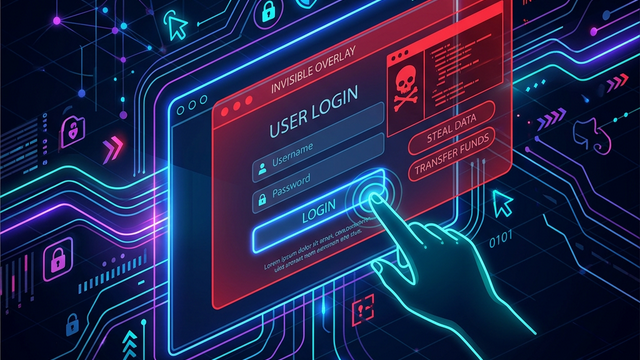
Imagine visiting a website that offers you a chance to win a free smartphone. All you have to do is click a large, shiny "Claim Prize" button. You click it, but instead of winning a phone, you unknowingly just deleted your primary email account or authorized a bank transfer. This is the essence of Clickjacking, a deceptive technique also known as User Interface (UI) Redressing. It is a sophisticated web security vulnerability where an attacker tricks a user into clicking something different from what the user perceives, potentially leading to the disclosure of confidential information or taking control of the user's computer while they are interacting with seemingly innocuous web pages.
Understanding the Mechanics of Clickjacking
At its core, Clickjacking relies on the ability to embed one website inside another using an HTML element known as an <iframe> (Inline Frame). The attacker creates a malicious site that loads a legitimate, vulnerable website within an invisible iframe. By using Cascading Style Sheets (CSS), the attacker manipulates the visibility and positioning of this iframe so that it sits directly on top of the attacker's content.
To the end-user, they only see the attacker's "decoy" page-perhaps a simple game, a survey, or a fake prize notification. However, the invisible layer on top contains the target website (e.g., a social media settings page or a banking portal). When the user clicks a button on the decoy page, they are actually clicking a button on the hidden, legitimate site. Because the user is likely already logged into the legitimate site in their browser session, the action is executed with their full permissions.
The Role of CSS in UI Redressing
Three primary CSS properties make Clickjacking possible:
- Opacity: By setting the
opacityof the iframe to0(or a very low value like0.0001), the attacker makes the target website completely invisible to the human eye while keeping it fully functional and clickable. - Z-index: The
z-indexproperty determines the stack order of elements. An attacker sets the iframe'sz-indexto a higher value than the decoy content to ensure the invisible target site stays on top. - Absolute Positioning: Using
top,left, andposition: absolute, the attacker can precisely align the target's "Submit" or "Delete" button directly over the decoy's "Play Game" button.
Common Types of Clickjacking Attacks
Clickjacking isn't a one-size-fits-all attack. It has evolved into several specialized forms depending on the attacker's goal.
1. Likejacking
This is a popular variant often seen on social media platforms. The attacker overlays an invisible "Like" or "Follow" button over a piece of content on their site. When users click to play a video or close a popup, they unintentionally "Like" a page or follow an account, which helps spread spam or boosts the perceived popularity of malicious profiles.
2. Filejacking
In a Filejacking attack, the attacker leverages the browser's ability to access the file system through web forms. By redressing a file upload dialog, an attacker can trick a user into clicking through a series of prompts that ultimately grant the attacker access to local files or upload sensitive documents from the user's machine to the attacker's server.
3. Drag-and-Drop Clickjacking
This technique involves tricking the user into performing a drag-and-drop action. For example, a user might think they are playing a game where they move an object into a trash can. In reality, they are dragging sensitive data (like a CSRF token or personal info) from the hidden iframe and dropping it into a text area controlled by the attacker, who can then read the data.
Technical Exploit Examples
To understand how a security researcher or an attacker views this, let's look at a basic technical implementation of a Clickjacking lab.
The Vulnerable Site (Victim)
Suppose https://vulnerable-bank.com/settings has a button to disable two-factor authentication (2FA). The HTML might look like this:
<!-- vulnerable-bank.com/settings -->
<html>
  <body>
    <h1>Account Settings</h1>
    <p>Your 2FA is currently enabled.</p>
    <button id="disable-2fa" onclick="action()">Disable 2FA</button>
  </body>
</html>
The Attacker's Exploit Page
The attacker creates a page (https://attacker-site.com/win-money) designed to overlay the 2FA button.
<html>
<head>
  <style>
    .decoy-content {
      position: absolute;
      top: 100px;
      left: 100px;
      z-index: 1;
    }
    .target-iframe {
      position: absolute;
      top: 90px; /* Adjusted to align buttons */
      left: 95px;
      width: 500px;
      height: 500px;
      z-index: 2;
      opacity: 0.2; /* Kept slightly visible for demonstration purposes */
      border: none;
    }
    button.fake-btn {
      padding: 10px 20px;
      background-color: gold;
      border: 1px solid #000;
    }
  </style>
</head>
<body>
  <div class="decoy-content">
    <h2>Congratulations! You've Won!</h2>
    <button class="fake-btn">Click here to claim your $1,000!</button>
  </div>

  <iframe class="target-iframe" src="https://vulnerable-bank.com/settings"></iframe>
</body>
</html>
In a real attack, the opacity would be set to 0. When the victim, who is logged into their bank, clicks "Click here to claim your $1,000!", the click is actually registered by the disable-2fa button in the iframe. The bank processes the request, and 2FA is disabled without the user ever knowing.
The Impact of Clickjacking on Organizations
The consequences of a successful Clickjacking attack can range from minor annoyances to catastrophic data breaches. For a business, the impacts include:
- Unauthorized Financial Transactions: Attackers can trick users into making purchases or transferring funds.
- Data Exfiltration: By redressing privacy settings, attackers can make private profiles public or grant themselves access to user data.
- Account Takeover: Disabling security features (like 2FA) or changing the recovery email address via Clickjacking allows attackers to seize full control of accounts.
- Reputational Damage: If a platform is frequently used for Likejacking or spam propagation, users lose trust in the service's security.
- Malware Distribution: Users can be tricked into clicking "Download" buttons that trigger the installation of malicious software.
How to Detect Clickjacking Vulnerabilities
Security professionals use several methods to identify if a site is vulnerable to UI redressing. The simplest manual test is to try and embed the target site into a local HTML file using an iframe. If the site loads successfully inside the frame, it is likely vulnerable.
However, for large organizations with thousands of subdomains, manual testing is impossible. This is where automated infrastructure reconnaissance becomes vital. By using tools like Jsmon, security teams can monitor their external attack surface for changes in headers and identifying pages that lack the necessary security configurations to prevent framing.
Prevention and Mitigation Strategies
Defending against Clickjacking requires a multi-layered approach, primarily focusing on telling the browser whether or not it is allowed to render the page inside a frame.
1. Content Security Policy (CSP): frame-ancestors
The most modern and robust defense is the Content-Security-Policy header with the frame-ancestors directive. It allows site owners to specify exactly which origins are permitted to embed the page.
- To disallow all framing:
Content-Security-Policy: frame-ancestors 'none'; - To allow only the same origin:
Content-Security-Policy: frame-ancestors 'self'; - To allow specific trusted domains:
Content-Security-Policy: frame-ancestors https://trusted-partner.com;
2. X-Frame-Options Header
Before CSP became standard, X-Frame-Options was the primary defense. While older, it is still widely used for backward compatibility with browsers like Internet Explorer.
- DENY: The page cannot be displayed in a frame, regardless of the site attempting to do so.
- SAMEORIGIN: The page can only be displayed in a frame on the same origin as the page itself.
- ALLOW-FROM uri: (Obsolete and not recommended) Allows the page to be framed only by the specified URI.
Example HTTP Response Header:
HTTP/1.1 200 OK
X-Frame-Options: SAMEORIGIN
3. SameSite Cookie Attribute
While not a direct fix for Clickjacking, setting the SameSite attribute on session cookies to Strict or Lax can mitigate the impact. If a cookie is SameSite=Strict, the browser will not send the session cookie when the site is loaded in an iframe on a third-party domain. This means the user will appear as "logged out" in the attacker's invisible iframe, rendering the attack useless for authenticated actions.
4. JavaScript Frame Busting
In the early days of the web, developers used "frame-busting" scripts to prevent their pages from being framed. A typical script might look like this:
if (top !== self) {
  top.location = self.location;
}
However, this is not recommended as a primary defense. Attackers can easily bypass these scripts using the HTML5 sandbox attribute on the iframe, which can disable JavaScript execution in the framed page, preventing the frame-buster from running.
Conclusion
Clickjacking is a reminder that web security is not just about protecting data in transit or on a server; it is also about protecting the integrity of the user interface itself. By redressing a UI, attackers turn a user's own actions against them, bypassing traditional security logic. As web applications become more complex, the risk of UI redressing remains a persistent threat.
For developers and security teams, the path forward is clear: implement strong Content Security Policies, use X-Frame-Options as a fallback, and ensure that sensitive actions require explicit, non-predictable user interactions that are difficult to spoof.
To proactively monitor your organization's external attack surface and catch exposures like missing security headers before attackers do, try Jsmon.



